
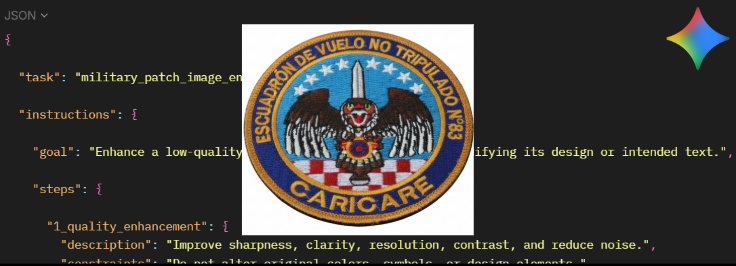
Some people wonder how to obtain patches when official info is almost impossible to find. Here’s a fun step-by-step method using OSINT with AI enhancement.
The Ghost Unit Challenge
Finding official insignia for specific military units can be a nightmare. Recently, I was tasked with finding the patch for the Venezuelan « Escuadrón de Vuelo No Tripulado 83 » (part of G.A.I.V.R No. 8) for an ORBAT GeoConfirmed project.
The problem? No official website, no high-res press kits, and zero digital footprint. Here is how I recovered it.
Step 1 – Digging into SOCMINT
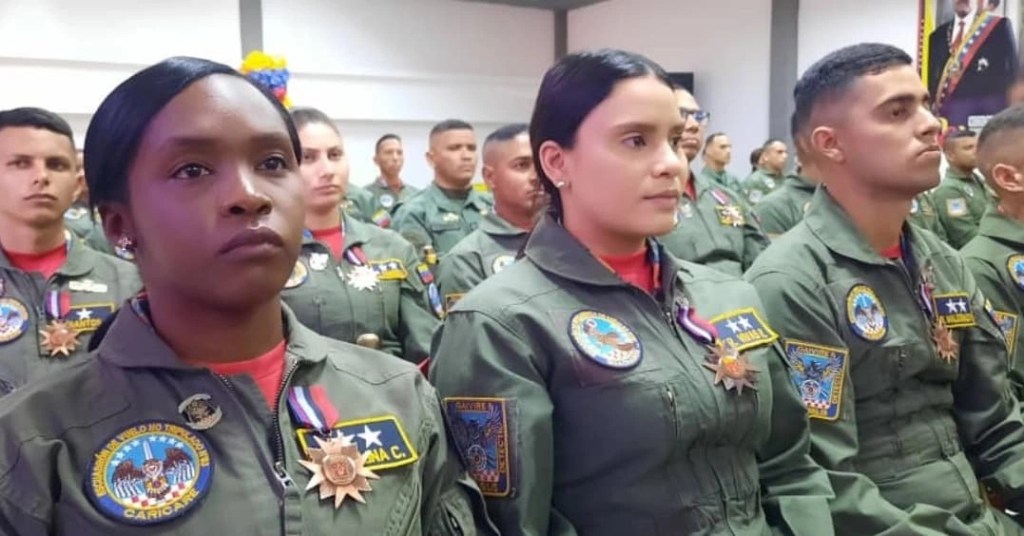
When traditional search engines fail, Instagram is often your best friend. After identifying their official account, I scrolled back through months of posts.
- A discovery: A photo from a ceremony.
- One detail: A tiny, blurry patch on a commander’s flight suit. Bingo!
Step 2 – Isolation & Pre-processing
I downloaded the high-quality version of the post and cropped the patch. It was grainy and tilted, but the core symbols were visible.
Isolating the patch helps the AI focus its attention. By removing visual noise (uniform fabric, background people), you prevent the model from getting ‘distracted’ by irrelevant pixels.
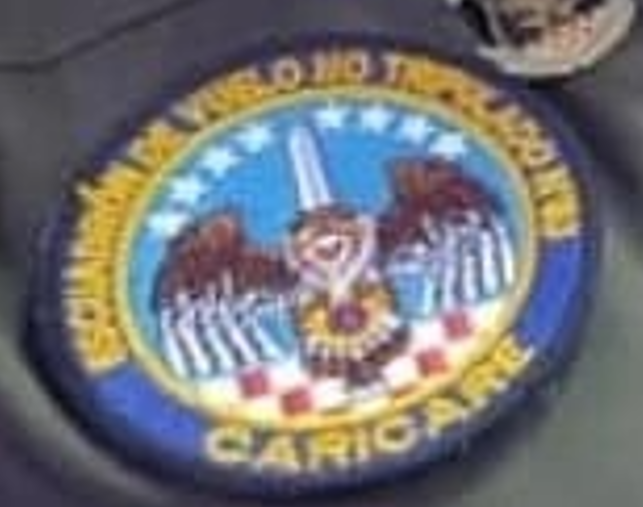
Tip: Even a blurry original is better than a redraw from memory.
Step 3 – AI Reconstruction with Gemini
To get a clean result, I used a custom JSON-structured prompt. This tells Gemini to act as a precision restorer rather than a creative artist. You can find the prompt at the end of the article (or Pastbin link).
This prompt allows for several things:
- enhance quality
- preserve original colors
- fix perspective
- improve sharpness
- fix letters when possible
- add a background
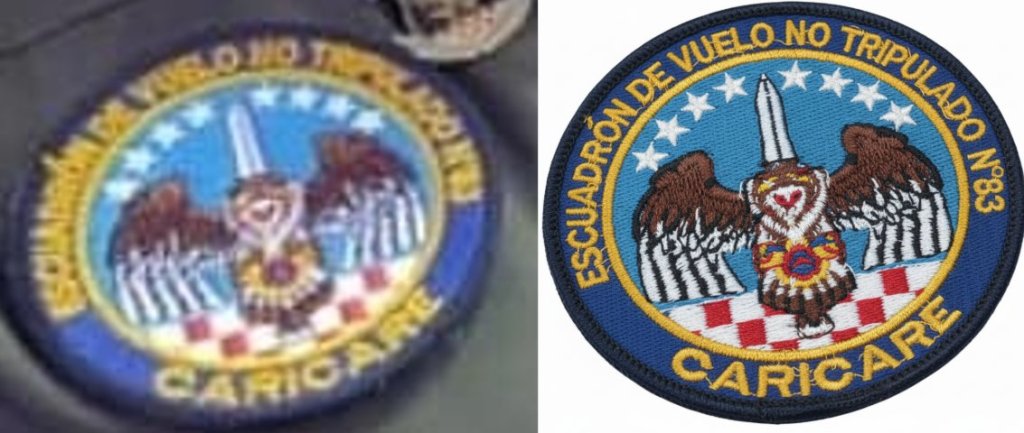
By feeding it the reference text (« ESCUADRÓN DE VUELO NO TRIPULADO N°83 »), I helped the AI fix the illegible letters:

– Result & honest review –
The reconstruction is 95% accurate. While some organic details (like the animal’s features) might need a second pass, the typography and layout are now almost perfect for ORBAT documentation. Sometimes you need 2–3 tries in a fresh chat to get a perfect match. Progress with AI is constantly advancing, so results will only get better and better in the future, notably correcting the few problems that can be encountered with text generation, which often adds imaginary letters.
With modern AI, the combo OSINT + social media digging + smart AI cleanup has become one of the most powerful ways to recover rare military patches. Go explore — the internet hides more than you think.
– Extra tip –
The sharper your original screenshot, the better the AI reconstruction will be. Here’s an example using a better quality base image and the result, the result is impressive!
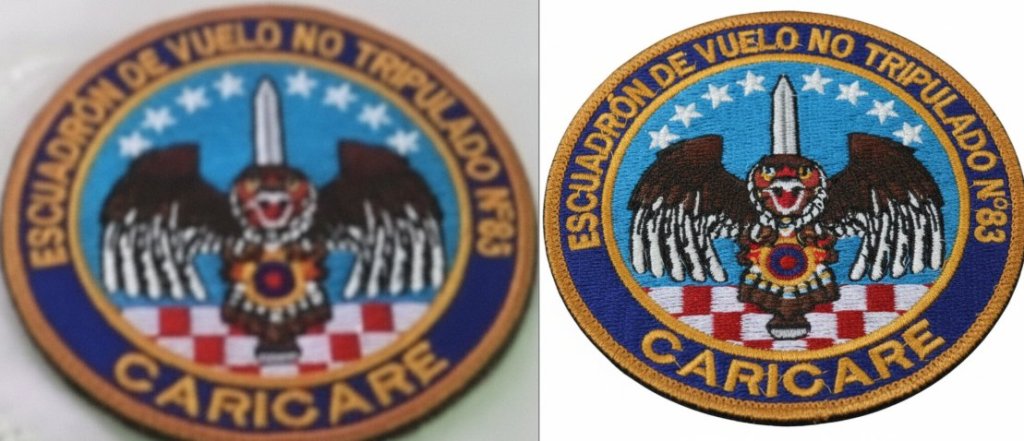
The prompt (also on Pastbin):
Modify it as you wish!
{
  "task": "military_patch_image_enhancement",
  "instructions": {
    "goal": "Enhance a low-quality military patch image without modifying its design or intended text.",
    "steps": {
      "1_quality_enhancement": {
        "description": "Improve sharpness, clarity, resolution, contrast, and reduce noise.",
        "constraints": "Do not alter original colors, symbols, or design elements."
      },
      "2_patch_detection_and_alignment": {
        "description": "Detect the patch in the image and straighten it.",
        "expected_patch_shape": "Circular patch",
        "constraints": "Only straighten; do not modify shapes or proportions."
      },
      "3_background_replacement": {
        "description": "Remove the original background and place the patch on a pure white background (#FFFFFF)."
      },
      "4_text_handling": {
        "description": "Identify all text on the patch and ensure correct reproduction.",
        "rules": {
          "preserve_readable_text": "If readable, reproduce text exactly as it appears, including casing.",
          "replace_unreadable_text": "If unreadable or unclear, replace with provided reference text.",
          "reference_text_input_top": "ESCUADRÓN DE VUELO NO TRIPULADO N°83",
          "reference_text_input_bottom": "CARICARE"
        },
        "constraints": "Never change the meaning, spelling, or casing of the provided reference text."
      },
      "5_non_modification_rule": {
        "description": "Strict rule preventing changes to original design.",
        "rules": [
          "Do not modify artwork, symbols, insignia, patterns, or colors.",
          "Do not add new elements.",
          "Do not invent or reinterpret any part of the design.",
          "Enhancement and reconstruction only — no redesign."
        ]
      },
      "6_output_requirements": {
        "description": "Output a clean, high-resolution, centered, straightened patch image.",
        "background": "pure white",
        "constraints": "Patch must appear exactly as original except for clarity, orientation, and text restoration using reference text if needed."
      }
    },
    "inputs_expected_from_user": {
      "image": "Low-quality image of the military patch.",
      "shape": "Expected patch shape (e.g., round, shield-shaped, rectangular).",
      "reference_text": "Exact patch text, used only when unreadable."
    },
    "output": {
      "description": "Accurate, high-quality reproduction of the original patch on white background, with no design changes."
    }
  }
}
 OSINT Me That
Laisser un commentaire